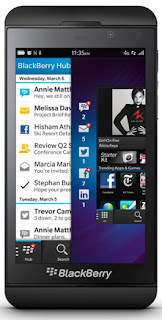
Blackberry has made a lot of noise recently and released several new devices. Some argue that it's too little too late and they've lost their marketshare to Samsung and Apple. The Blackberry Z10 is a great effort and those Blackberry diehards that can deal with not having their qwerty keyboard should love this device.
The Blackberry Z10 is the first phone from the company formerly known as RIM and now called Blackberry to run the new Blackberry 10 OS. With the new touchscreen and features in the new OS there's bound to be plenty to delight a Blackberry user that's longed for a touchscreen device like the androids and iphones.
See what the rest of the internet has to say about the Blackberry Z10:
How To Unlock Blackberry Z10
If you need to unlock the Blackberry Z10 the easiest way to do so is via IMEI unlock code. You can usually get a free unlock code from the carrier the device is locked to. Just call them and ask for it. If you can't get an unlock code from the carrier you can buy the same IMEI unlock code online. We'll link to a couple sources below.
1. Insert a non accepted simcard and power phone on.
2. Go to Settings > Security and Privacy > Simcard
3. Press "Unlock Network"
4. Enter the 8 or 16 digit code (If 16 digit code is giving error, use the first 8 digits of the 16 digit code)
It's that simple. Once you enter the code your Blackberry Z10 is unlocked and you're free to use whatever SIM card you choose.
You can purchase Blackberry Z10 IMEI Unlock Codes from the sources below:
Blackberry Z10 Unlock Code
